MachDatum Logo
CMMS

Devices

Resources

Company

The CMMS that learns your factory —not the other way around.

Asset types, location hierarchies, versioned checklists, and a mobile app — all built around your operation.
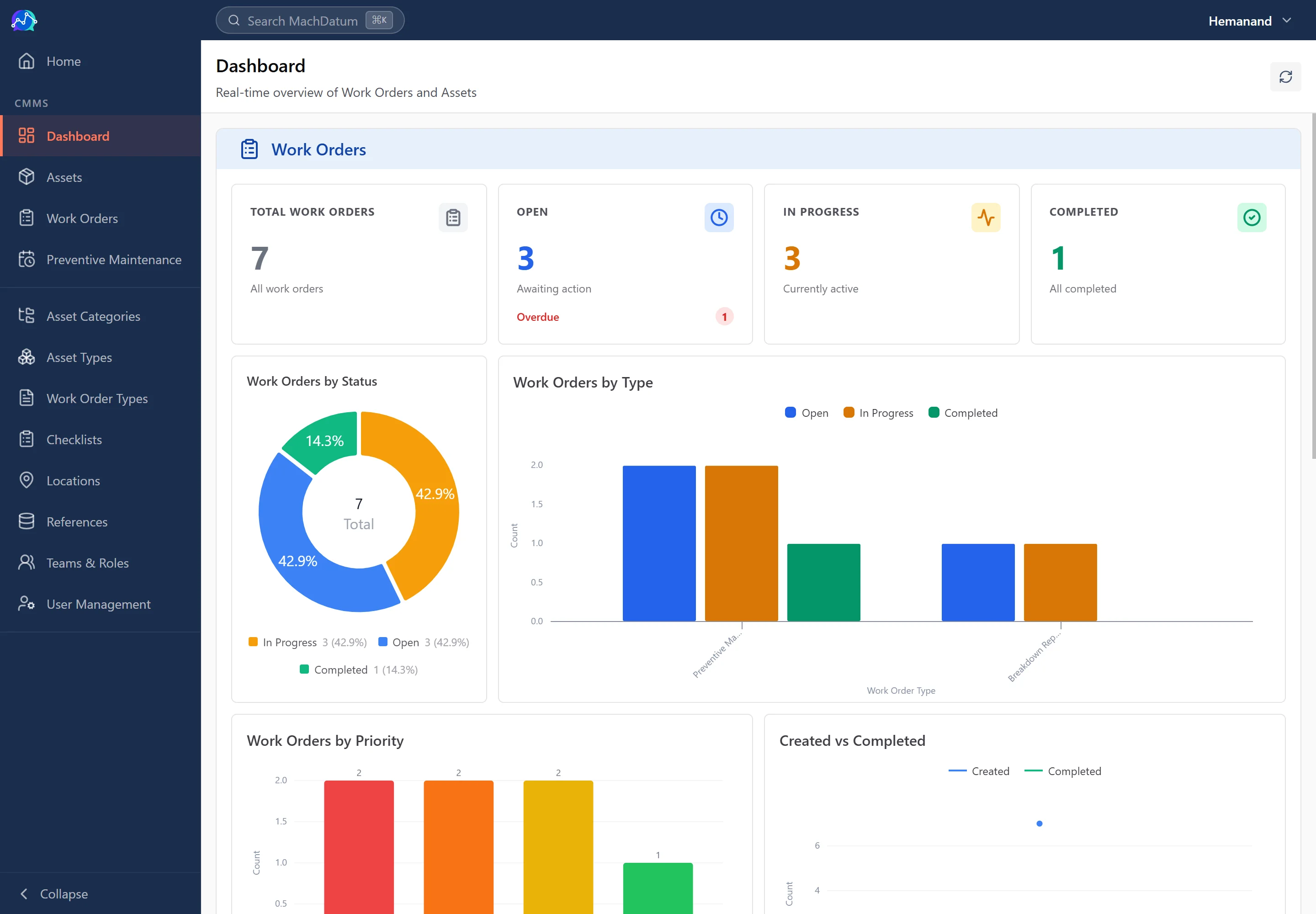
MachDatum CMMS dashboard showing work order analytics and asset overview

Manage every asset from install to decommission.
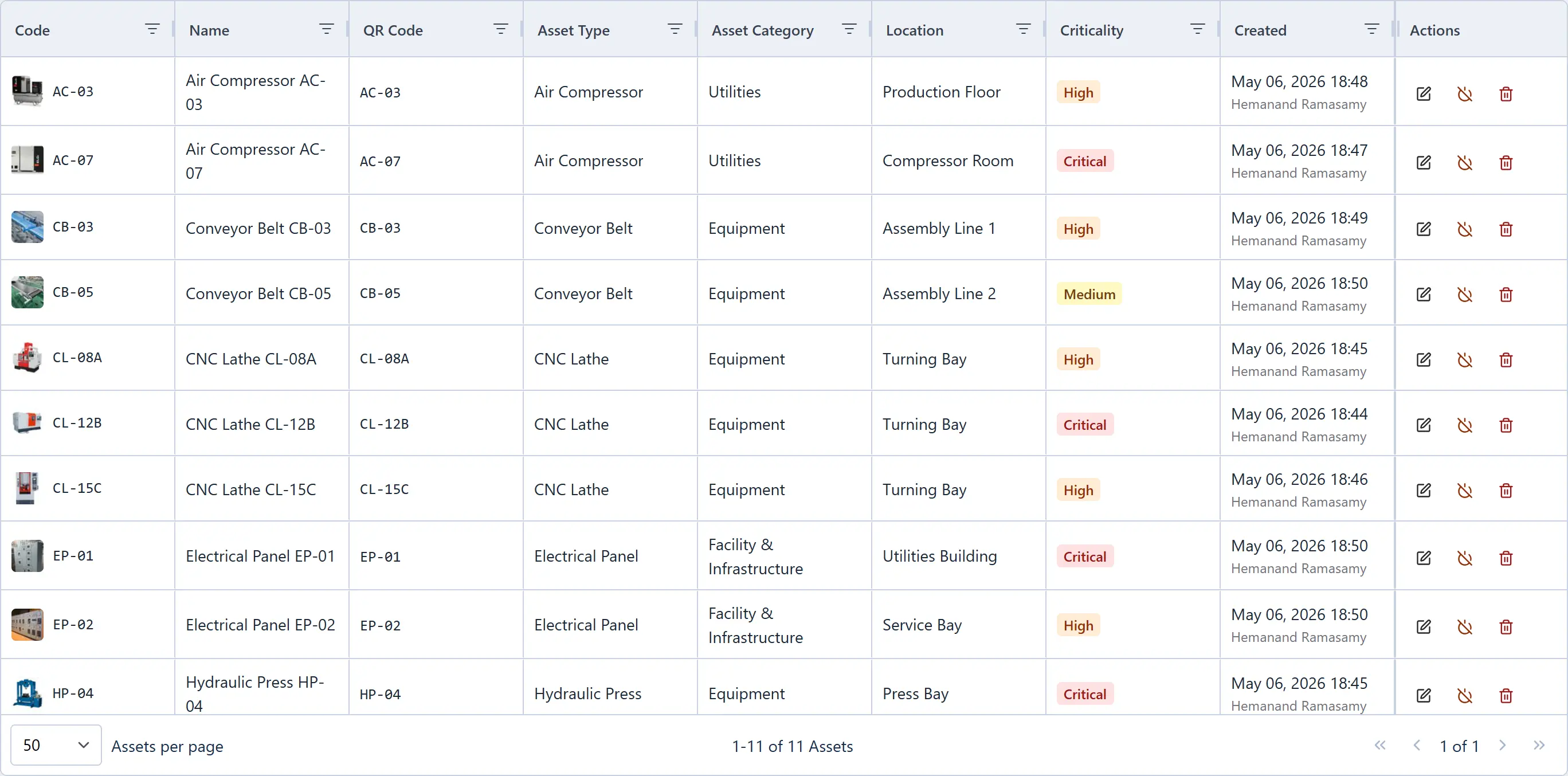
Asset list
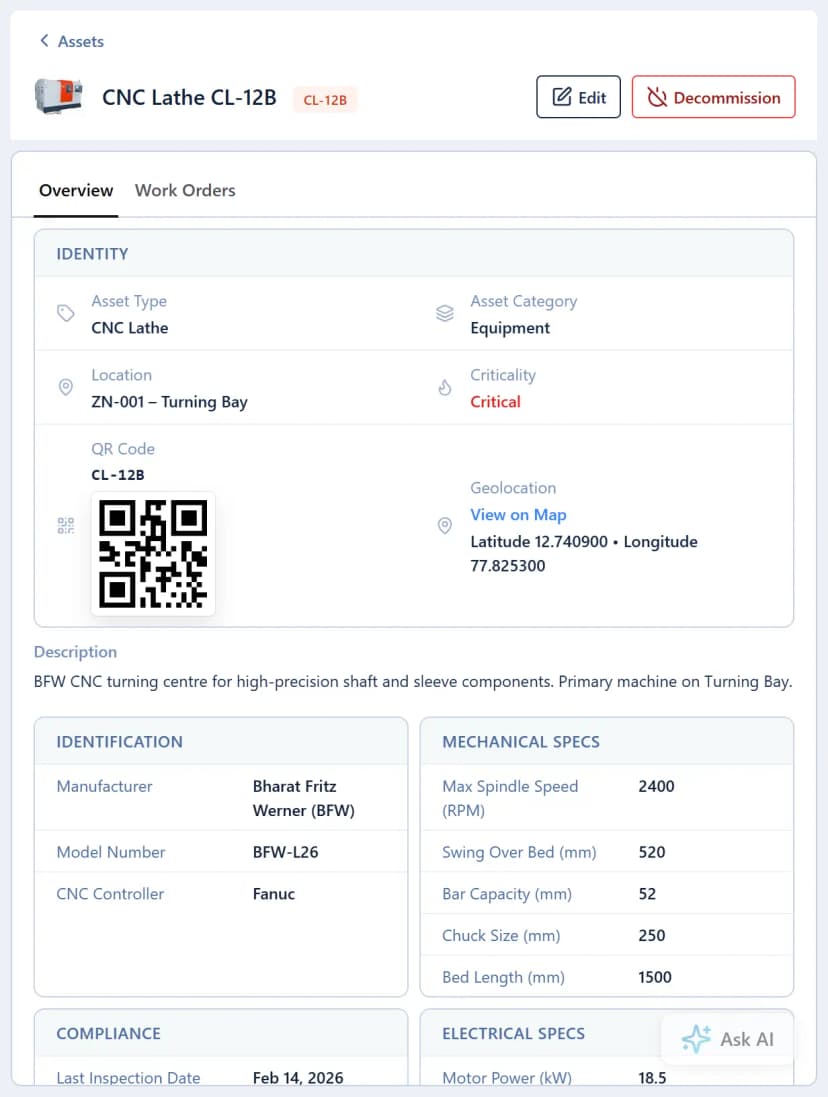
Asset detail
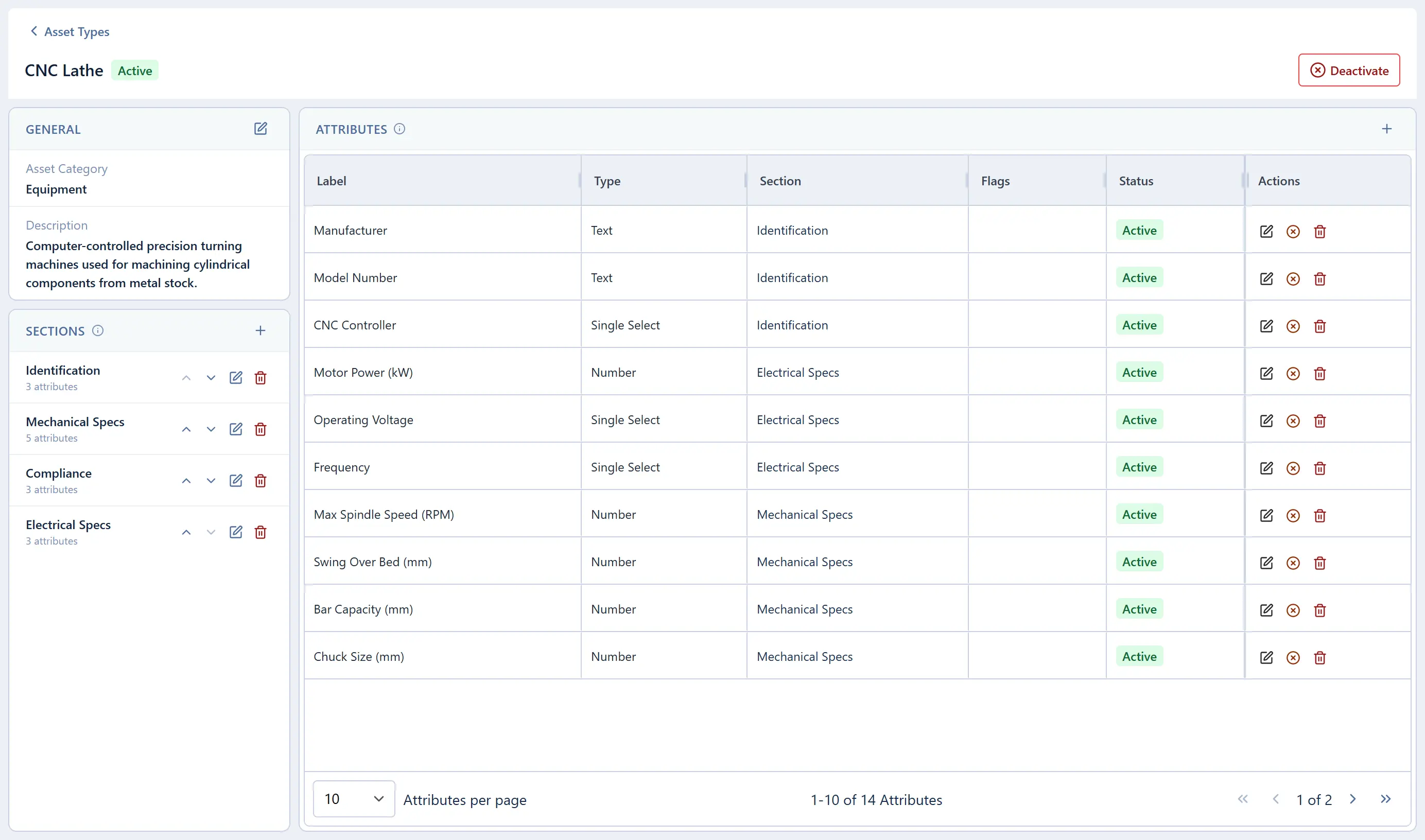
Asset type editor
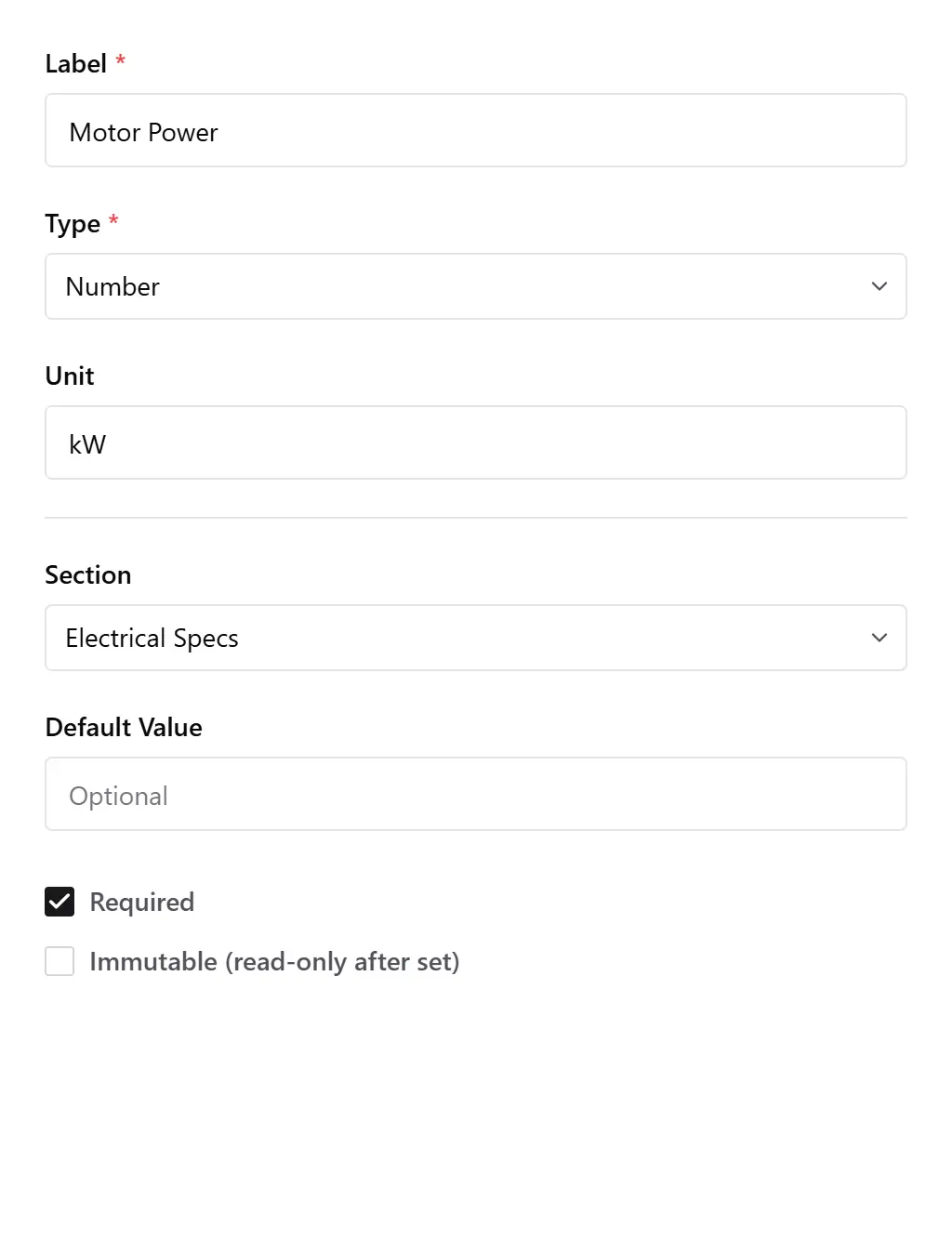
Attribute editor drawer
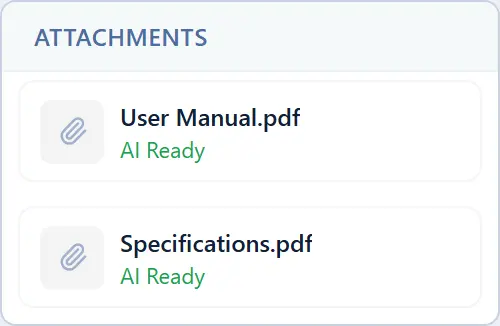
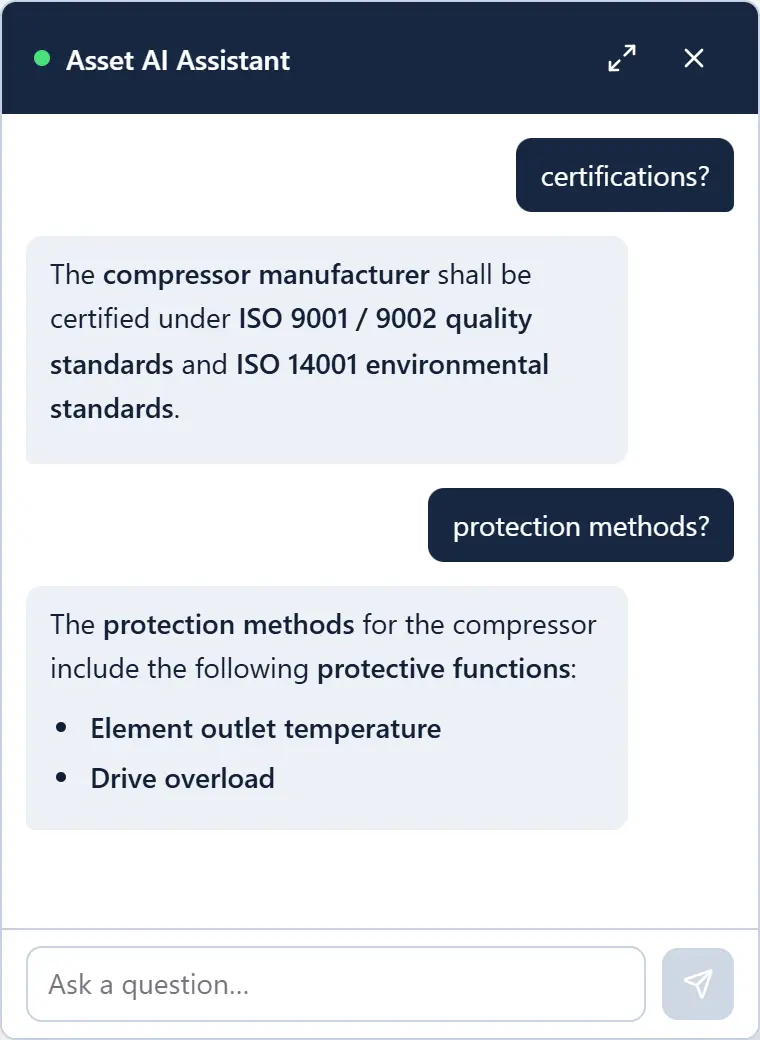
Asset attachments with AI Ready
AI chat window

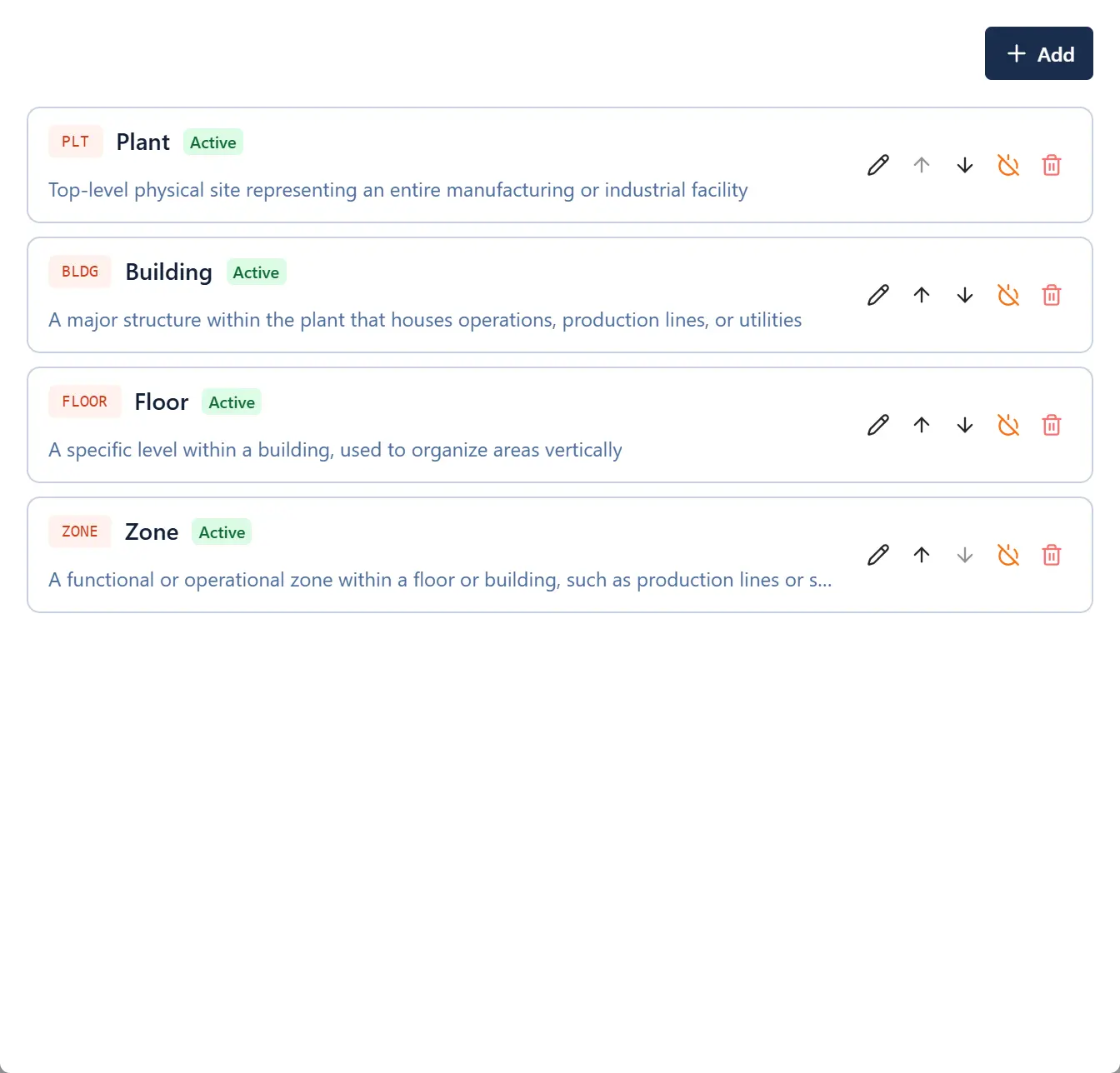
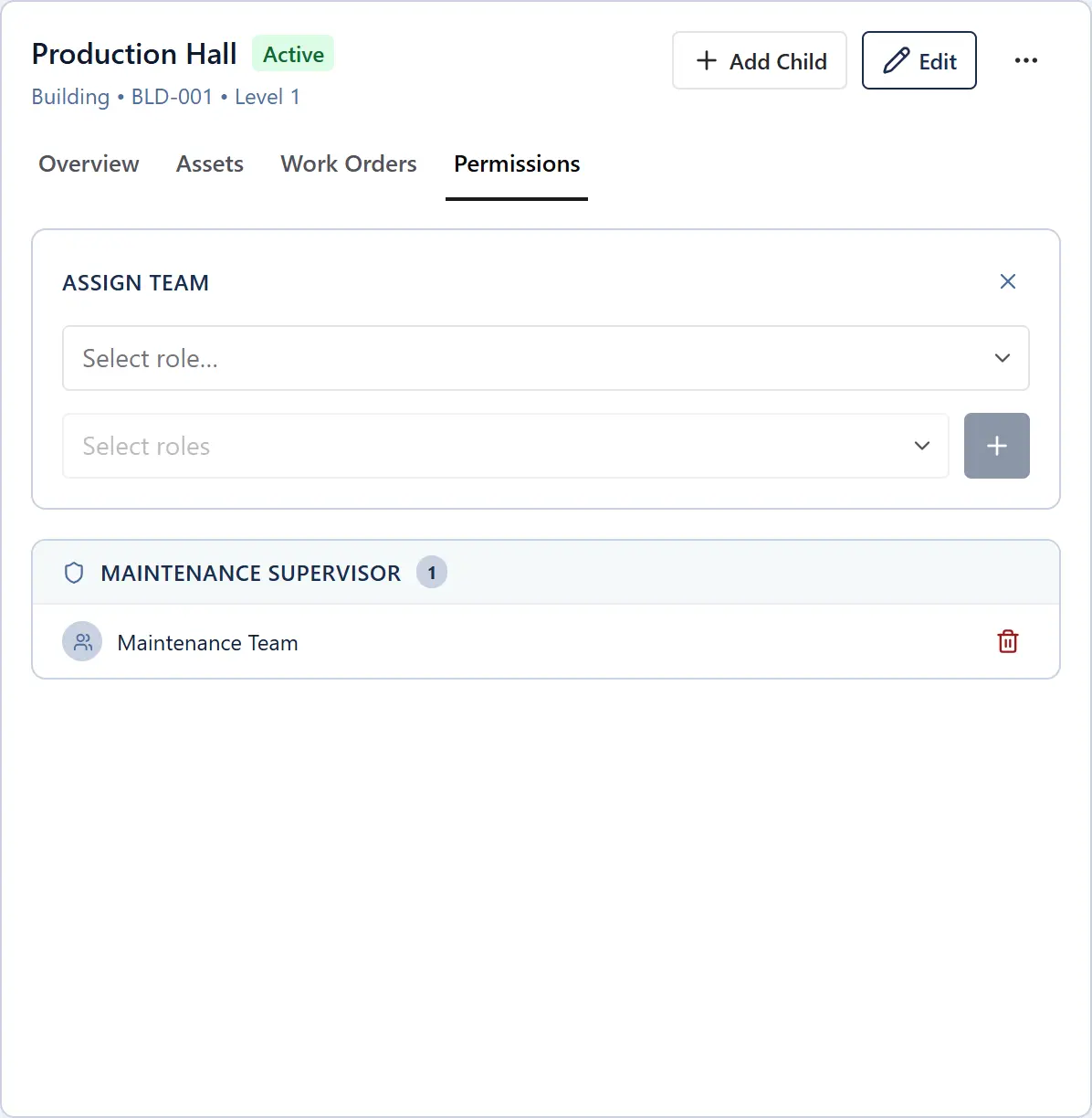
Your plant, mapped exactly as it is.
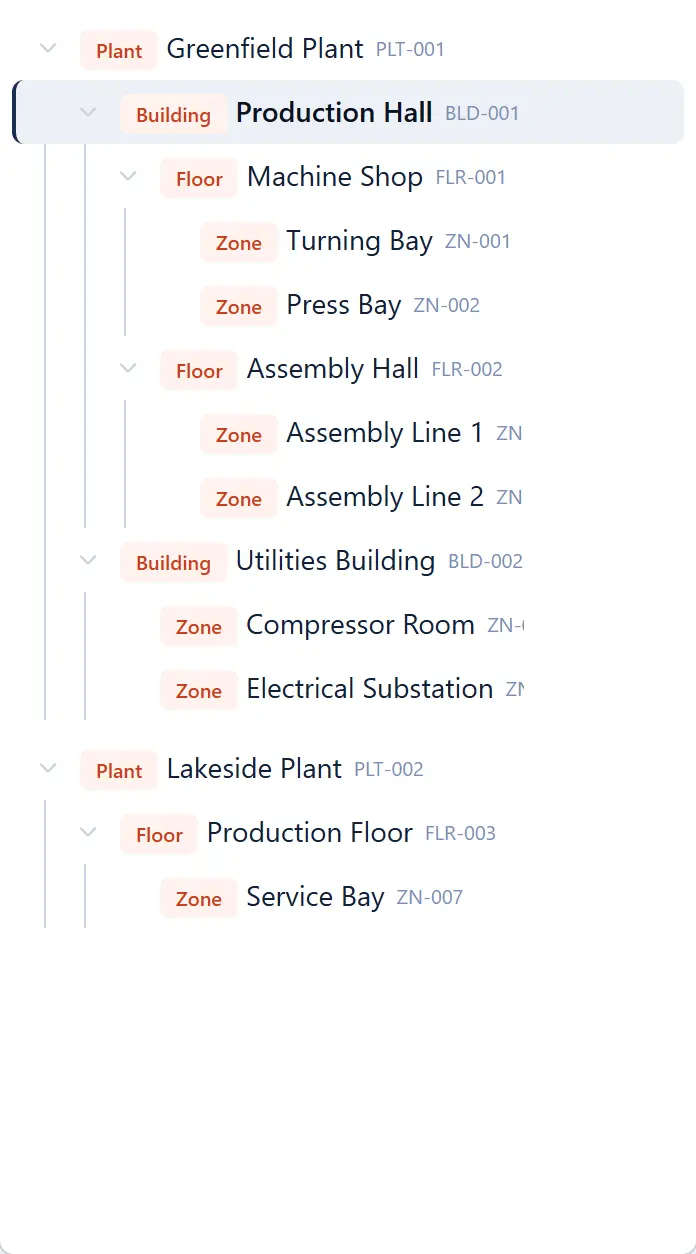
Location hierarchy tree
Location types configuration
Location-scoped permissions

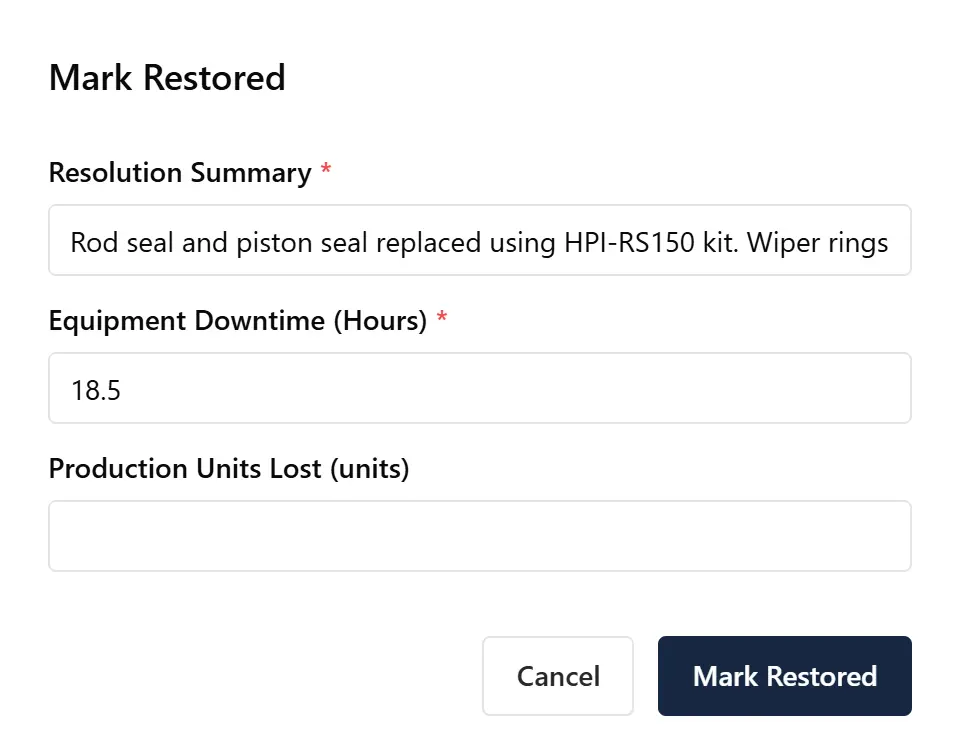
Every job, fully documented — from first report to final close.
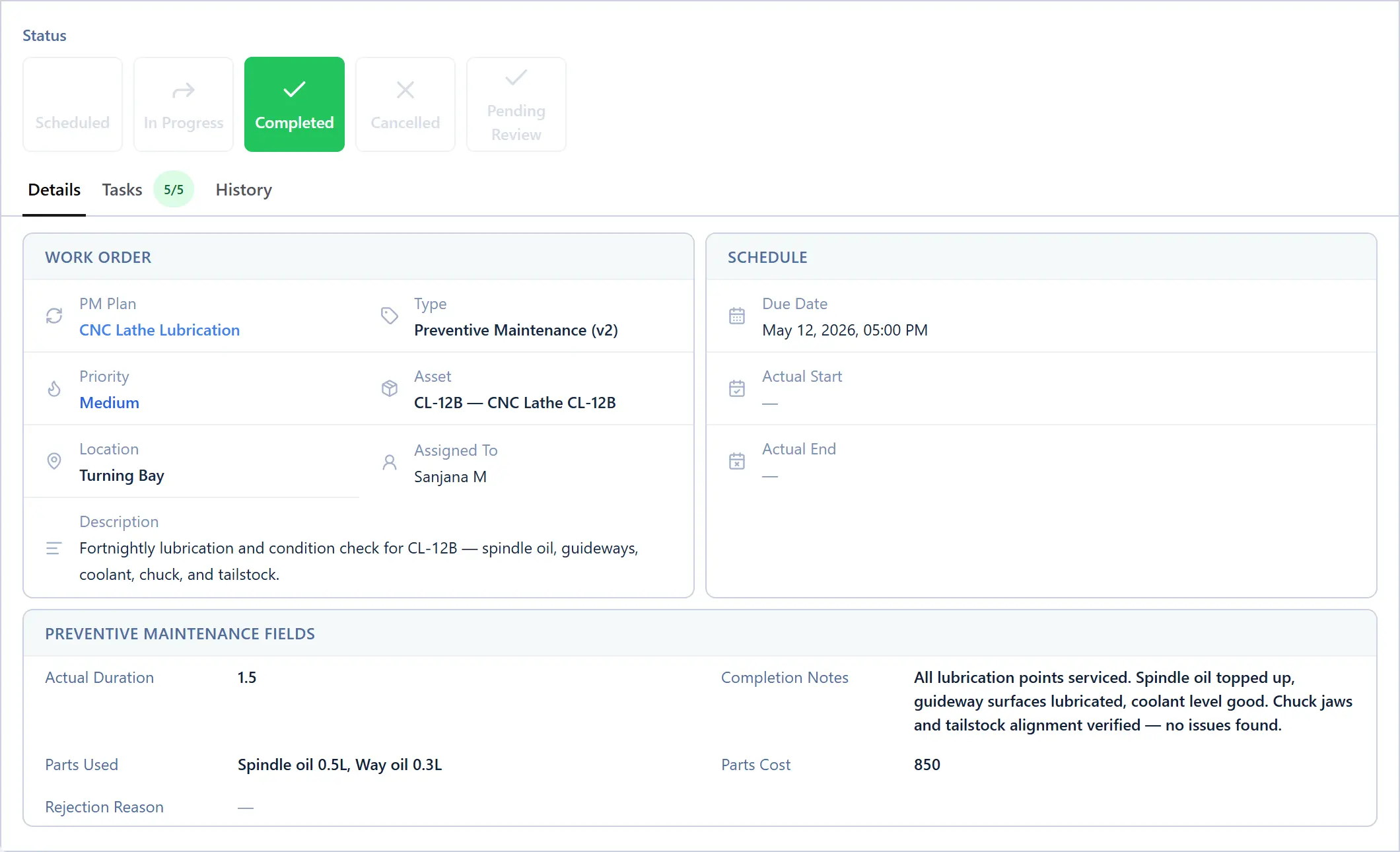
Completed work order detail
Transition screen capturing required fields
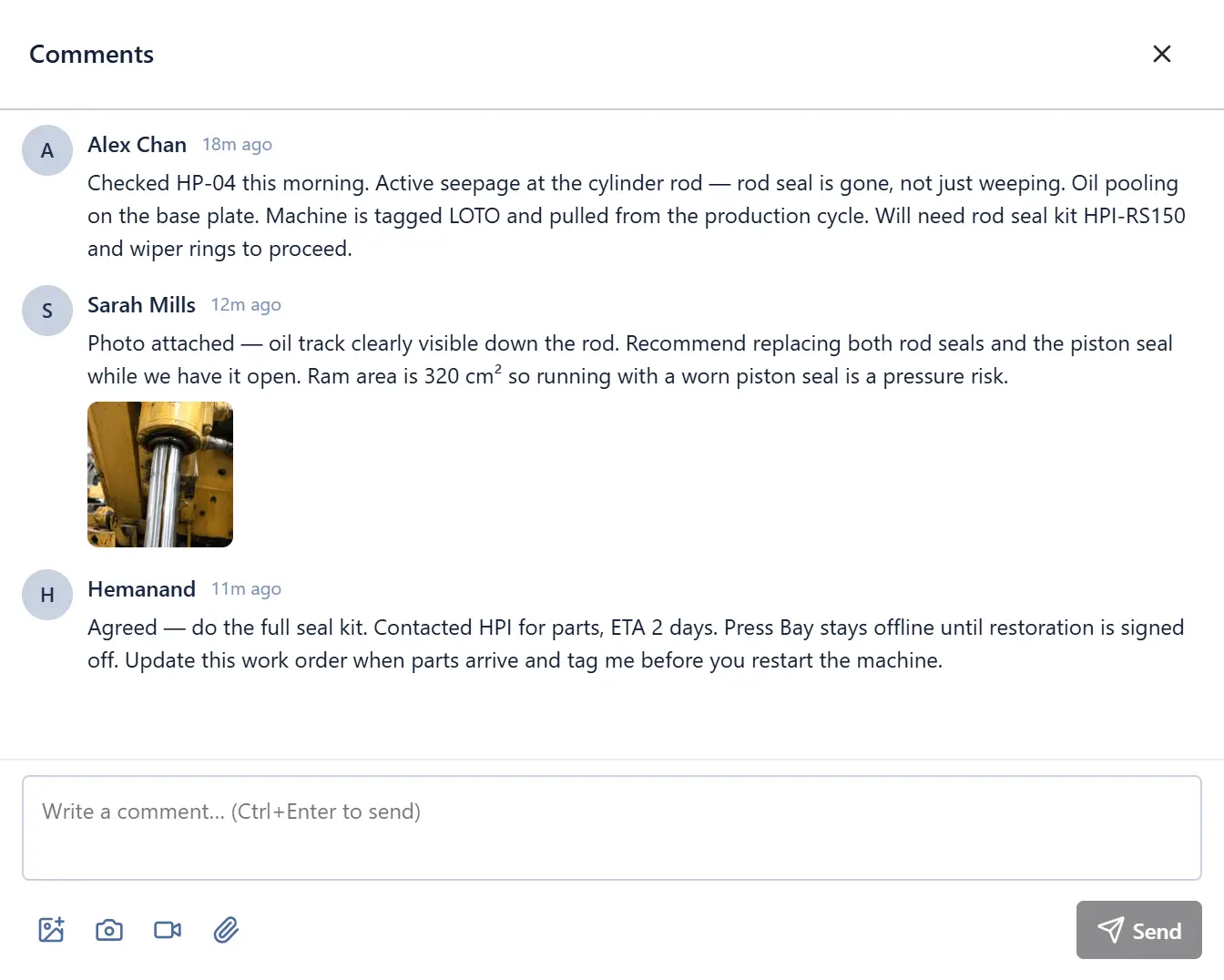
Work order comments thread with attachments

Different jobs need different workflows — configured once, enforced everywhere.
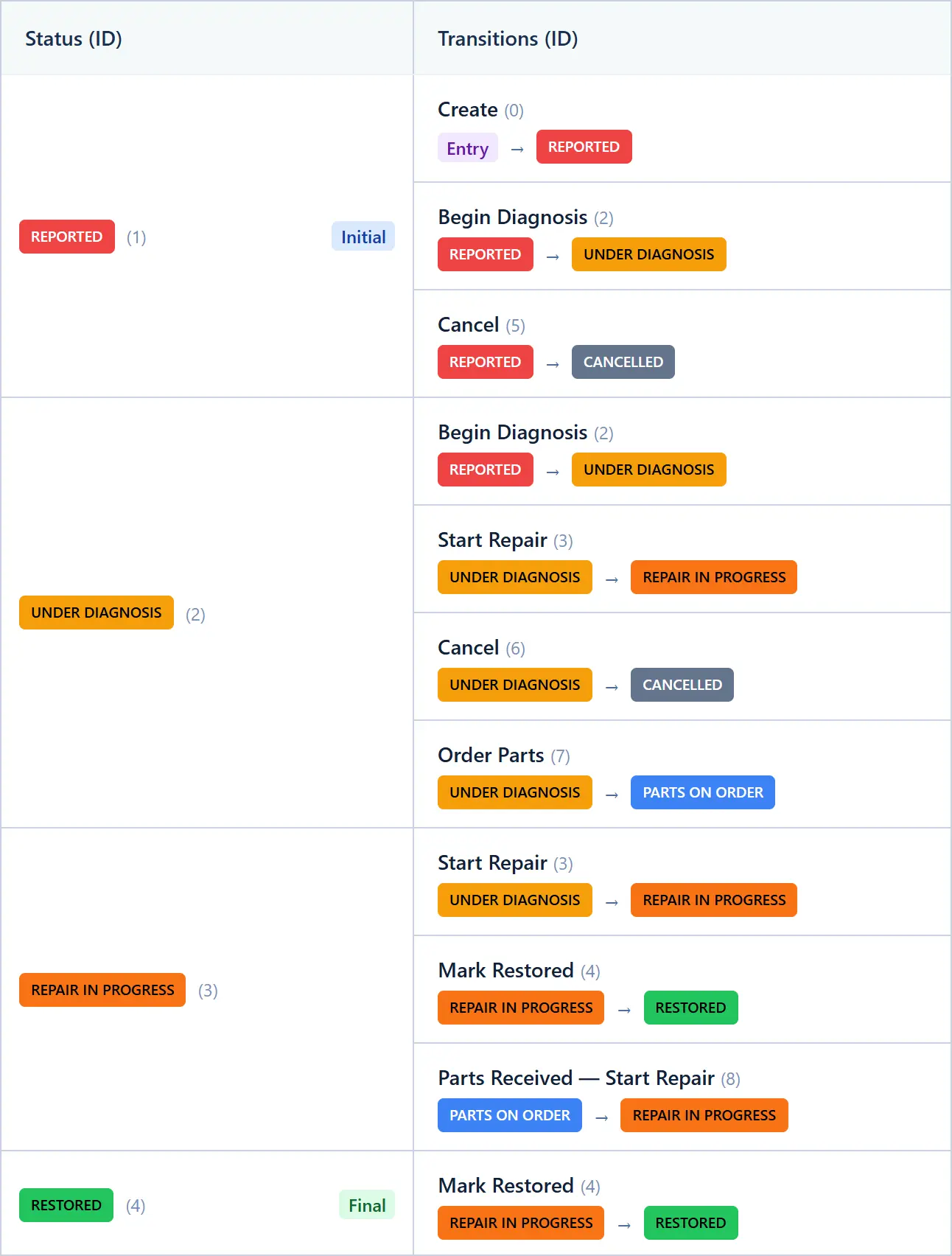
Work order type state machine editor
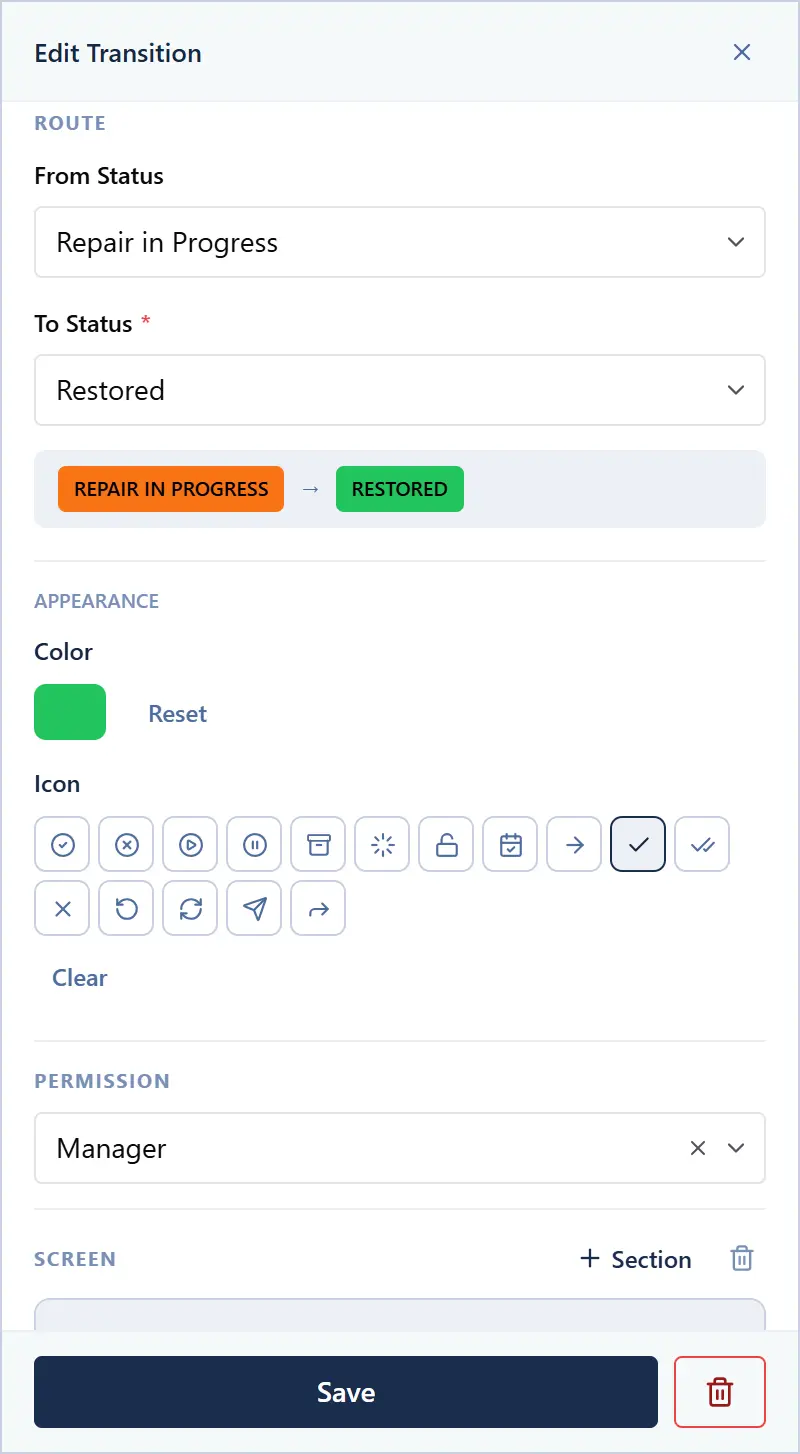
Transition role-based access control configuration
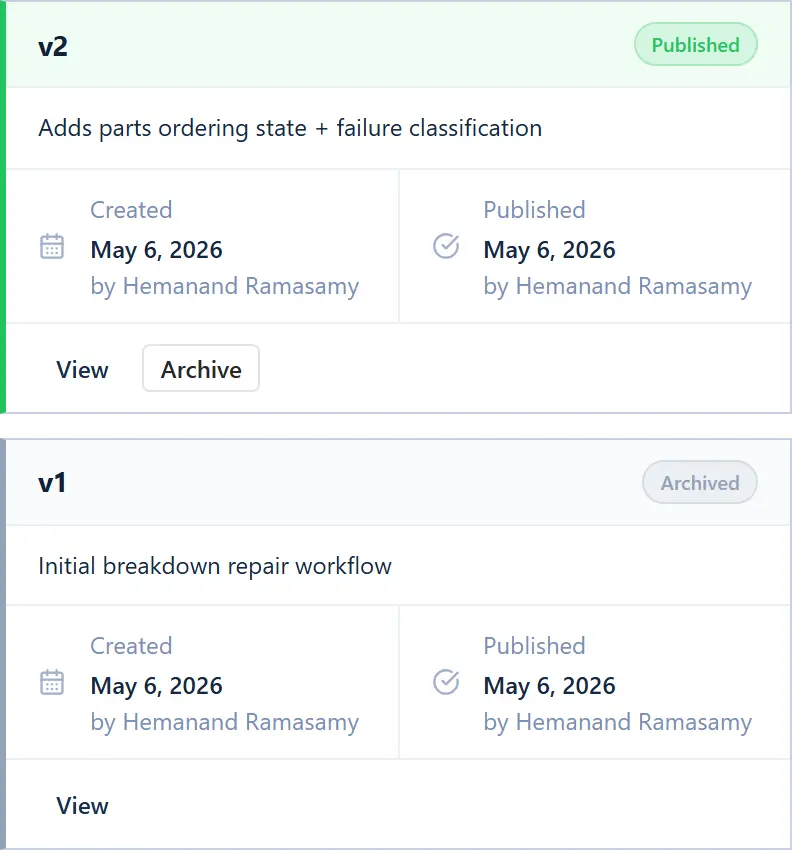
Work order type revision history

Schedule it once — MachDatum runs it from there.
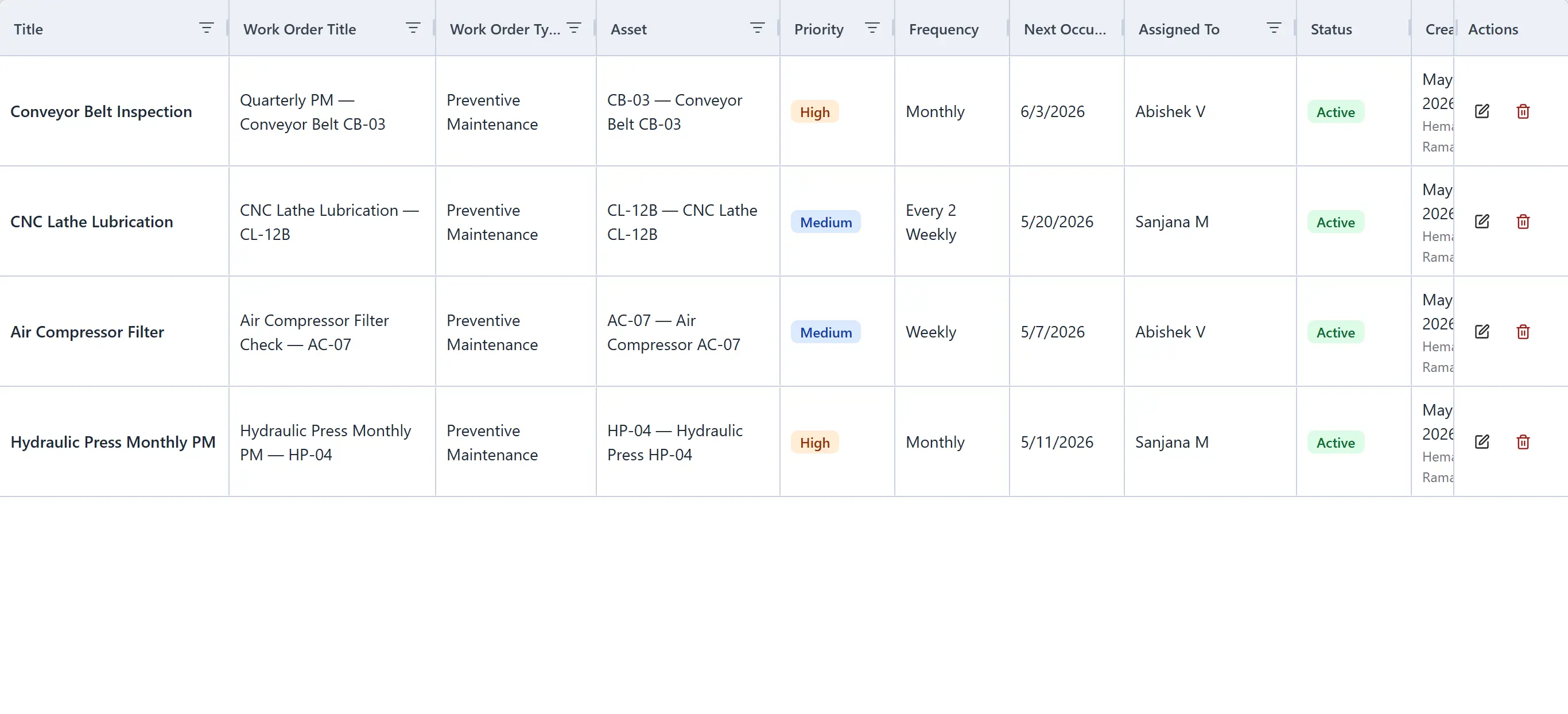
Preventive maintenance plans list
Preventive maintenance plan schedule configuration
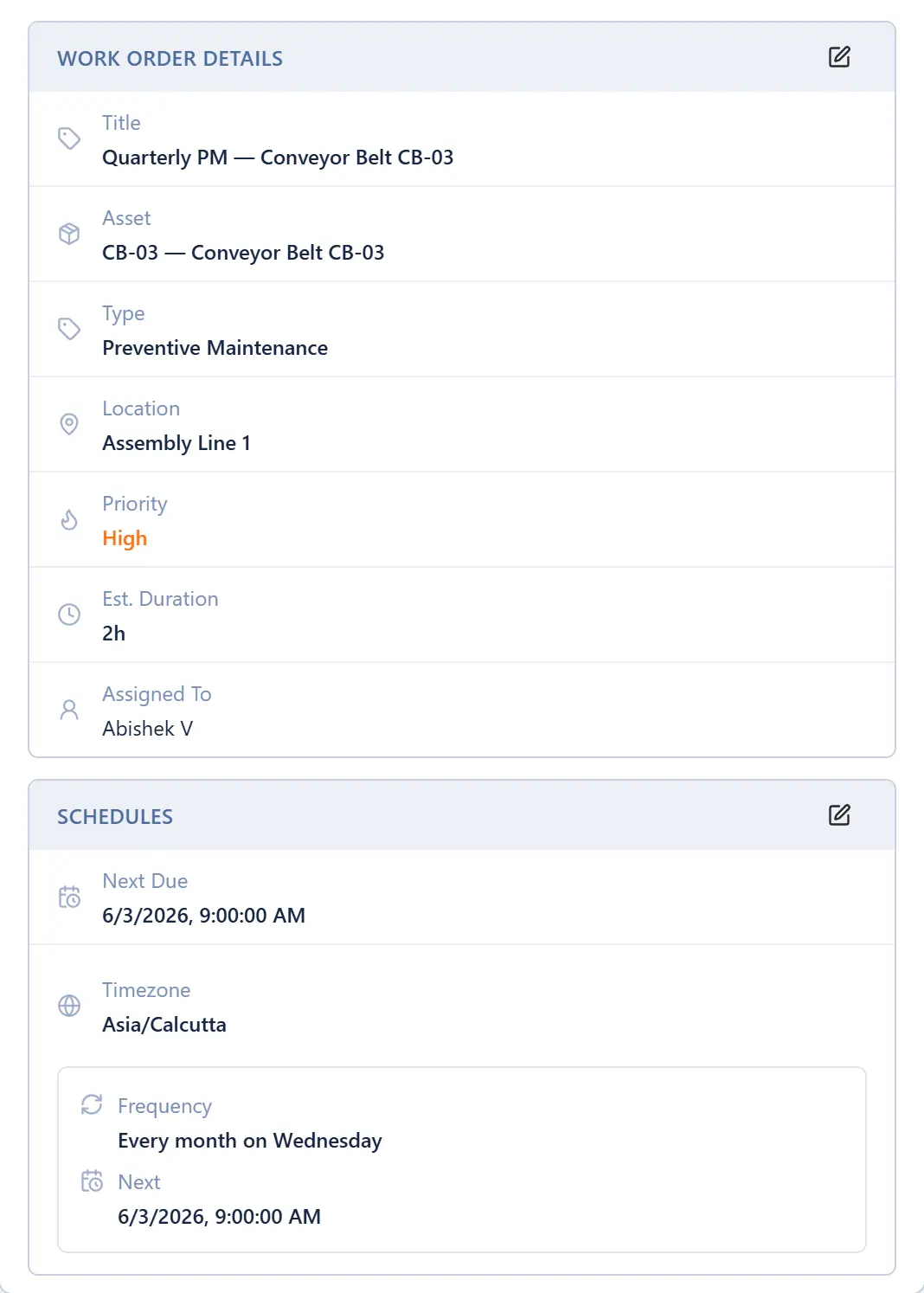
Auto-generated work order from a preventive maintenance plan

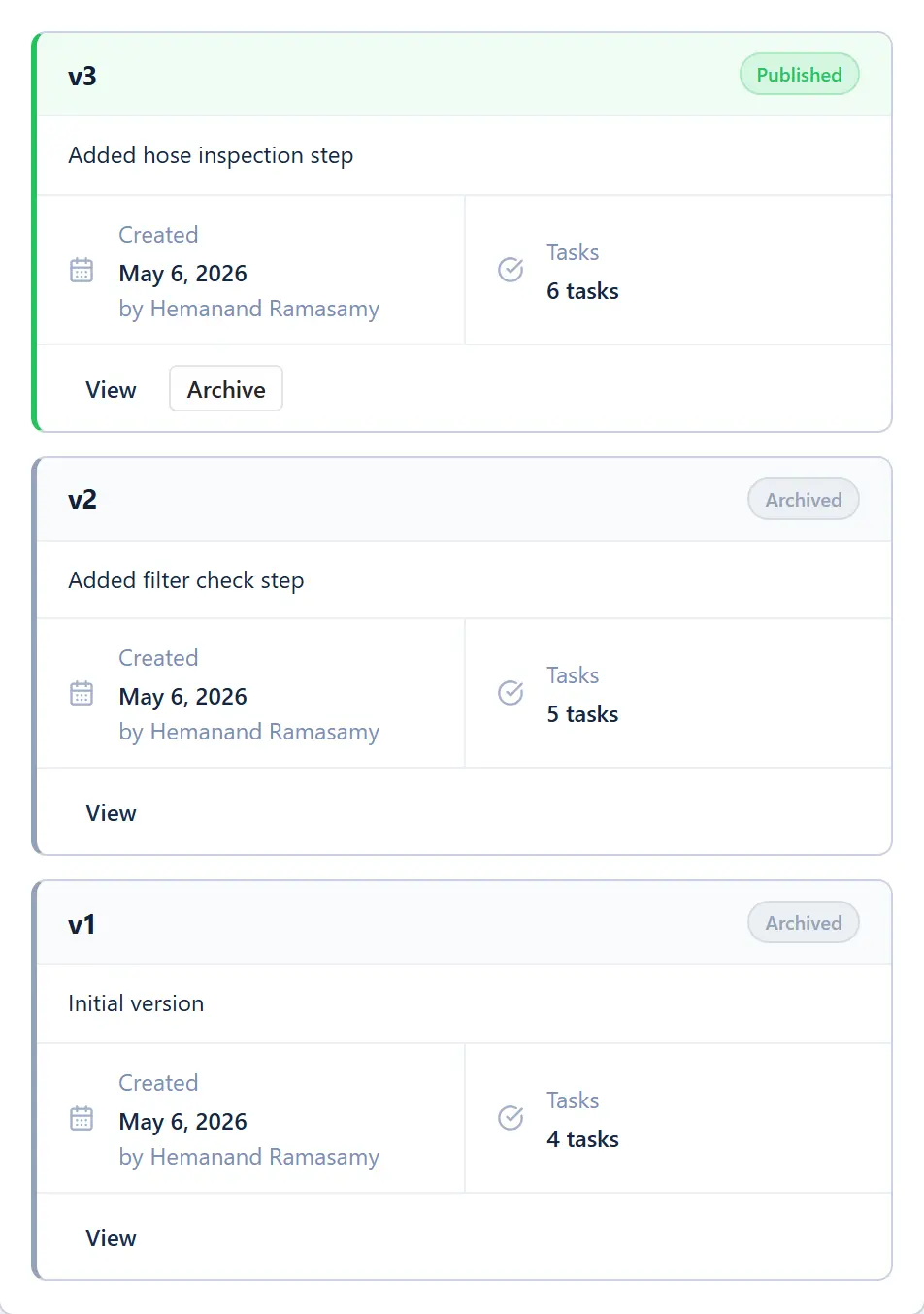
The right procedure, on every job — with full version history.
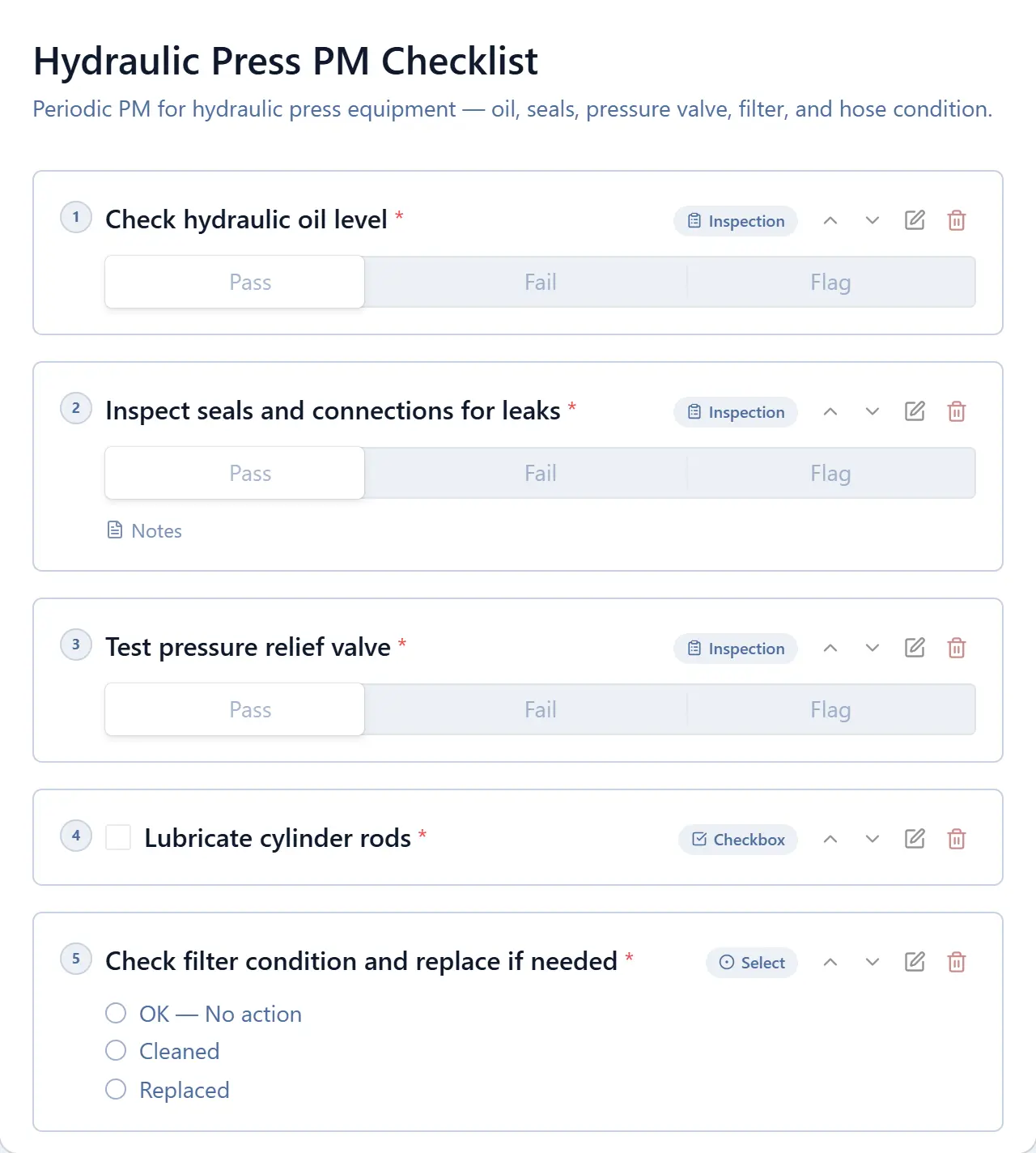
Checklist editor showing steps and version
Checklist version history
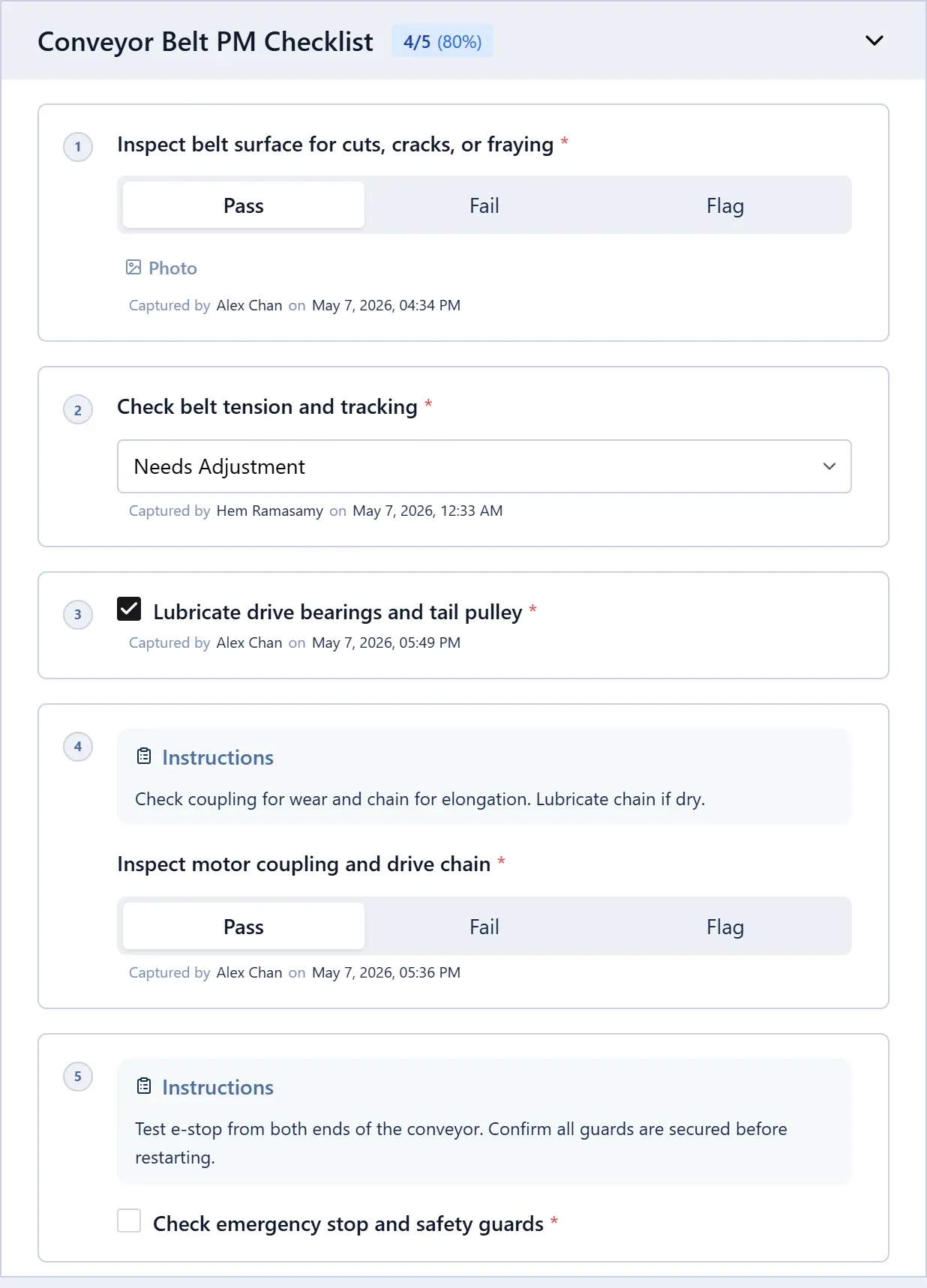
Checklist steps being completed on a work order

Every job opened, run, and closed from the floor.

Everything a technician needs — work order, checklist, asset details — in their pocket.

Full work orders
Open, update, and close jobs from the floor — checklist pre-attached, asset details visible.
Sign-off on site
Completion sign-off the moment the job is done — not back at a desk.
Photo capture
Attach photos from the job site to any work order — no separate upload needed.
Scan to open
Scan an asset QR code to pull up its work history and open a new job instantly.
Download on the
App Store
Get it on
Google Play

The platform doesn't stop at work orders.

Notifications

The right person, the right channel, the right moment.

Configure which events trigger which channels — per work order type, per team. No noise, no missed escalations.

Trigger
Email
WhatsApp
In-app
Work order assigned to you
Status changed to In Progress
Checklist step overdue
PM auto-dispatched
Sign-off required
Work order closed
Reports

Audit-ready reports, on demand.

Configure templates once. Export PDF summaries for ISO/IATF auditors in one click.

Maintenance Compliance Report
Q1 2026 · Montreal Plant
PDF
Work Orders Completed
284+12% vs Q4
PM Compliance Rate
96.2%↑ from 91%
Avg. Resolution Time
4.2 hrs−0.8 hrs
Overdue at Period End
3
Full audit trail · checklist version history included
Analytics

What's breaking, slipping, and why.

MTBF, MTTR, and downtime by asset and team — all from your work order data, no manual entry.

Avg. Resolution Time (hrs)
NovDecJanFebMarAprMay
MTTR
4.2 hrs
MTBF
18.4 days
Spare Parts

Parts tracked against every job.

Log parts against work orders. Know what you're running low on before a breakdown forces the issue.

Parts Used · WO-247
Hydraulic seal kit
In stock
× 1
Filter element HY-03
Low stock
× 2
O-ring set 12mm
In stock
× 4
Pressure relief valve
Order needed
× 1
Asset Tags

Scan any asset. Pull up the job. Done.

Every asset gets a printable QR tag. Scan from the floor to open its history, raise a work order, or run a checklist — no navigation.

MDIM-CB03
View asset history
Open work order
Run a checklist
See PM schedule
Escalation Rules

Overdue jobs escalate automatically.

Set time thresholds per work order type. When a job isn't progressed in time, the right person gets pulled in without anyone having to chase.

Rules · Breakdown Repair
Not assigned within2 hrsNotify Plant Manager
Still open after8 hrsNotify Department Head
Overdue by24 hrsNotify MD + SMS alert

Connects to the systems you already run.

ERP sync, single sign-on, and custom API integrations — delivered as part of the engagement. No separate middleware vendor, no extra integration project.

ERP Integration

SAP, Oracle, Tally — synced with your CMMS.

Asset master data, purchase orders, and work order costs flow between MachDatum and your ERP. We map the fields, test the connection, and manage it ongoing.

SAP
Oracle
Tally
Microsoft Dynamics
Delivered as a service · Scoped per engagement
Single Sign-On

Log in with your company identity.

No separate MachDatum password. Staff authenticate through your existing identity provider — access and roles provisioned automatically from your directory.

Azure Active Directory
Google WorkspaceOktaSAML 2.0LDAP
Delivered as a service · Scoped per engagement
REST API

Build on top of your maintenance data.

Full REST API access to work orders, assets, and checklist completions. Pipe data to your BI tool, or trigger work orders from external systems.

GET /api/v1/work-orders
"id": "WO-247",
"status": "in_progress",
"asset": "Conveyor Belt CB-03",
"assigned_to": "rajan.kumar"
How It Compares

MachDatum vs the alternatives

Feature
MachDatum CMMS
Typical CMMS
Spreadsheets
Custom asset attributes
Manual
Location hierarchy
Unlimited depth
Versioned checklists
PM auto-dispatch
Manual trigger
Mobile app
iOS + Android
Sometimes
Audit trail
Complete
Partial
Multi-site / multi-tenant
Varies
N/A
Engineering-led support
N/A
Time to first work order
Days
Months
Hours (then chaos)

“The right team. They know their work. MachDatum delivered exactly what we needed — and they were there whenever we had questions.”

H
Hariharan
Managing Director, Bator Technologies

Questions we get asked

How long does it take to get up and running?
Less than a week. We help you configure your first asset types and location hierarchy, seed a few assets, and run your first work order. Most teams are operational within 2–3 days.
Can we import our existing asset list from Excel?
Yes. Share your spreadsheet with us and we handle the import. We clean up the data structure and map it to your asset types before loading.
Where is our data stored? Is it secure?
Multi-tenant architecture — each organisation's data is fully isolated. Hosted on AWS with global availability. Your data is never shared with or visible to other tenants.
Can we manage multiple plants with separate teams?
Yes. Each plant or site operates as a separate tenant with its own asset register, locations, teams, and work orders. You can run as many sites as you need.
Is there a mobile app? Does it work on Android?
Yes — iOS and Android. Technicians open work orders, run through checklist steps, and mark jobs complete from the floor without returning to the office.
Does this help with ISO or IATF audits?
Yes. Every work order has a full audit trail — who did what, when, using which checklist version. Versioned checklists mean auditors see the exact procedure that was followed on a given date.
What does pricing look like?
Per-site pricing with no per-user fees — every technician and manager on your team is included. Contact us for a quote based on your number of sites.
What kind of support do you provide?
You reach the engineering team directly — not a support queue. Email and live chat with same-day response for most queries.

Ready to retire the spreadsheets?

Talk to our team. We'll show you the product, answer your questions, and help you get started the same week.

No long-term contract required.